webdesignlistings.org
A human-review, detailed website review service for web design businesses
★ Get your own unique FAQ + Selling Points on your profile page
★ be seen by 1000s of daily visitors and win new business
| Software Tools | ||||
Convert images to ICO icojet.com
At IcoJet, we provide a fast, free and convenient online image conversion service designed to help individuals, designers and developers create professional-quality ICO files. Our converter supports popular image formats including PNG, JPG, GIF, BMP and WebP, allowing users to produce Windows icons, application icons and website favicons with minimal effort.
icojet.com
At IcoJet, we provide a fast, free and convenient online image conversion service designed to help individuals, designers and developers create professional-quality ICO files. Our converter supports popular image formats including PNG, JPG, GIF, BMP and WebP, allowing users to produce Windows icons, application icons and website favicons with minimal effort.
We offer a choice of icon resolutions, enabling multiple sizes to be combined into a single ICO file for compatibility across different devices and applications. Privacy is central to our approach, with all conversions performed locally within the user's browser, ensuring that original images are never uploaded to external servers. Our straightforward conversion process includes file validation, image previews and flexible resolution selection. We also provide informative guides covering common icon-related challenges, including blurry images, transparency issues and favicon caching. With multilingual accessibility and a strong emphasis on security, simplicity and reliable results, we aim to make icon creation accessible to users worldwide. Services Provided by icojet.com at a Glance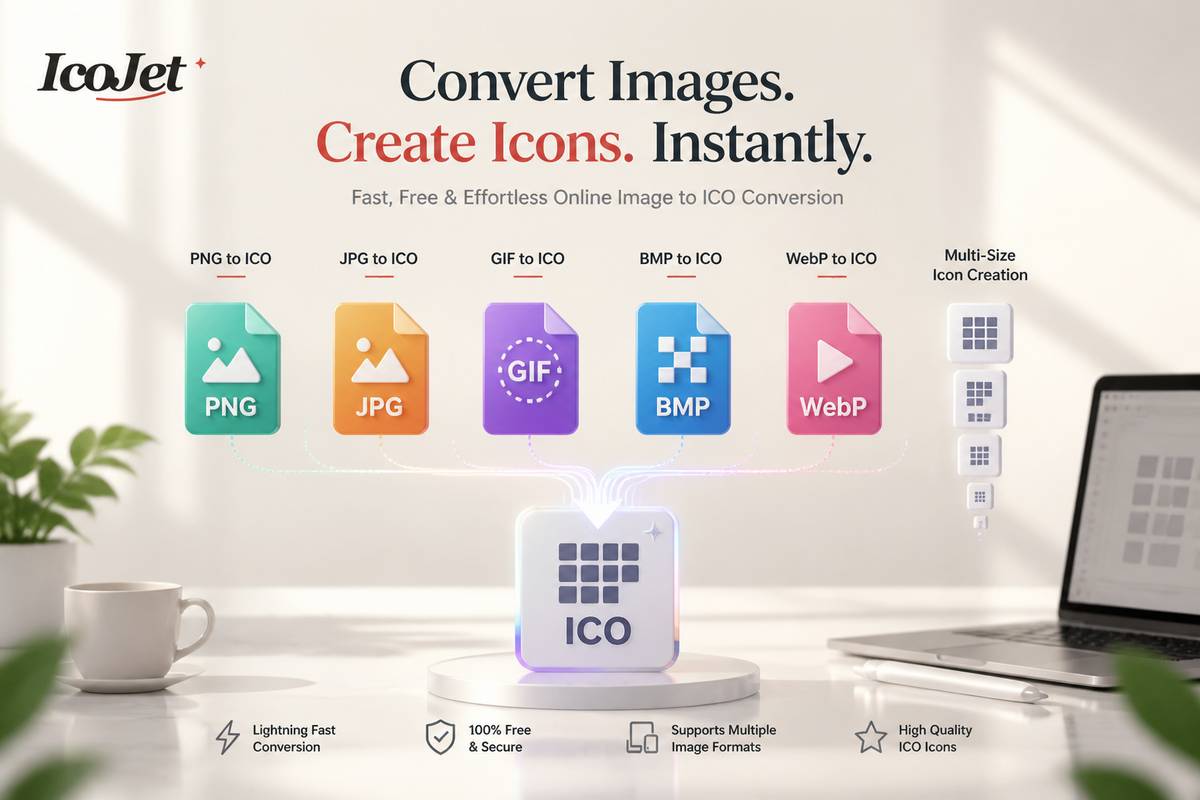
A deeper dive into icojet.comCommon questions asked about www.icojet.comWhich image formats can I convert, and are there file limits?You can use PNG, JPEG or JPG, GIF, BMP, and WebP images as the source for an ICO file. The converter accepts files up to 8 MB and 40 megapixels, so check both limits if your image won’t load. The image is checked for an allowed format and reasonable dimensions before it is processed. For the best results, start with a clear, square image; a source image of at least 256 × 256 pixels is recommended if you plan to include the largest icon sizes.Which icon sizes should I select?You can choose from 16, 24, 32, 48, 64, 128, and 256 pixel resolutions. The right selection depends on where the icon will appear: 16 and 32 pixels are common for compact interface elements, while 48 and 64 pixels suit desktop views. Larger sizes, such as 128 or 256 pixels, can help on high-density displays. You can include several resolutions in a single ICO file, so the software using the icon can select an appropriate size for its context.Is my image uploaded or shared when I convert it?No. Conversion takes place locally in your current browser tab, and your source image is not sent to a conversion server, stored by the service, or shared with a third-party conversion service. The tool reads and processes the selected image using browser APIs on your device. Closing or refreshing the page clears the working data held by the tool. Keep in mind that the ICO file you download is saved to the location chosen by your browser, so you can manage or delete that copy there.How can I get the clearest results from my image?Begin with a square image that is at least 256 × 256 pixels and has clear edges. A square source works well because the converter resizes it to each resolution you select. Choosing several sizes lets the ICO include options for different display contexts, from small interface elements to larger views. The converter creates those sizes from your source image, so a clear, suitably sized original is a helpful starting point. You can adjust your selected resolutions before converting without changing the original image.What will I receive, and how do I choose what goes into it?The converter produces one downloadable, standards-compatible ICO file containing the resolutions you selected. You can choose one size or combine several, from 16 × 16 up to 256 × 256 pixels. Including multiple sizes allows Windows, desktop software, and browsers to choose the sharpest included version for a particular context. Before converting, review the size selection to make sure it covers your intended use. You can change that selection without modifying your source image, then download the resulting ICO file.Some reasons to choose icojet.comPrivate, On-Device ConversionThe converter processes images locally in the browser, so the source file is not uploaded, stored, or shared with a third-party conversion service.Multiple Icon Sizes in One ICO FileIt packages the selected resolutions into a single ICO download, giving Windows, desktop software, and browsers options for choosing a suitable size.Support for Popular Image FormatsIt accepts PNG, JPEG, GIF, BMP, and WebP images, making it convenient to create icons from a range of common image files.Flexible Resolution ChoicesUsers can select icon sizes from 16×16 through 256×256 pixels and adjust their selection before converting, making it easy to tailor an ICO for different contexts.Simple Workflow with File ChecksThe tool offers a straightforward drop-or-choose process and checks file formats and dimensions before conversion. It also recommends square source images for clear results. |
|
|||
 webdesignlistings.org reviewer